
July 14 2024 Changelog
After Accelerate our first-ever launch week, where we launched products like Toolbox, vault, and LLM caching. We are now working on improving infrastructure, usability, and our docs.
Permissions and Roles
We introduced Authorization into beta at the beginning of the year. This week we introduced them into the API to allow you to create and manage them easily.
Creating a role
You can create a role by passing the name and description, the name can be anything you want it to be, make sure your root key has rbac.*.create_role
Creating a permission
You can create a permission by passing the name and description, the name can be anything you want it to be, make sure your root key has rbac.*.create_permission
You can find the rest of the endpoints for managing roles and permissions in our documentation
Attaching permissions or roles to a key
You can attach a permission or roles via the API to do this you need to provide the permission or role id to the keys.addPermissions or keys.addRoles.
Add Permission
Add Roles
You can find the rest of the endpoints for managing roles and permissions on a key our documentation
You still need to attach your permissions to roles or directly to a key via the UI but we will add the endpoints in the coming weeks.
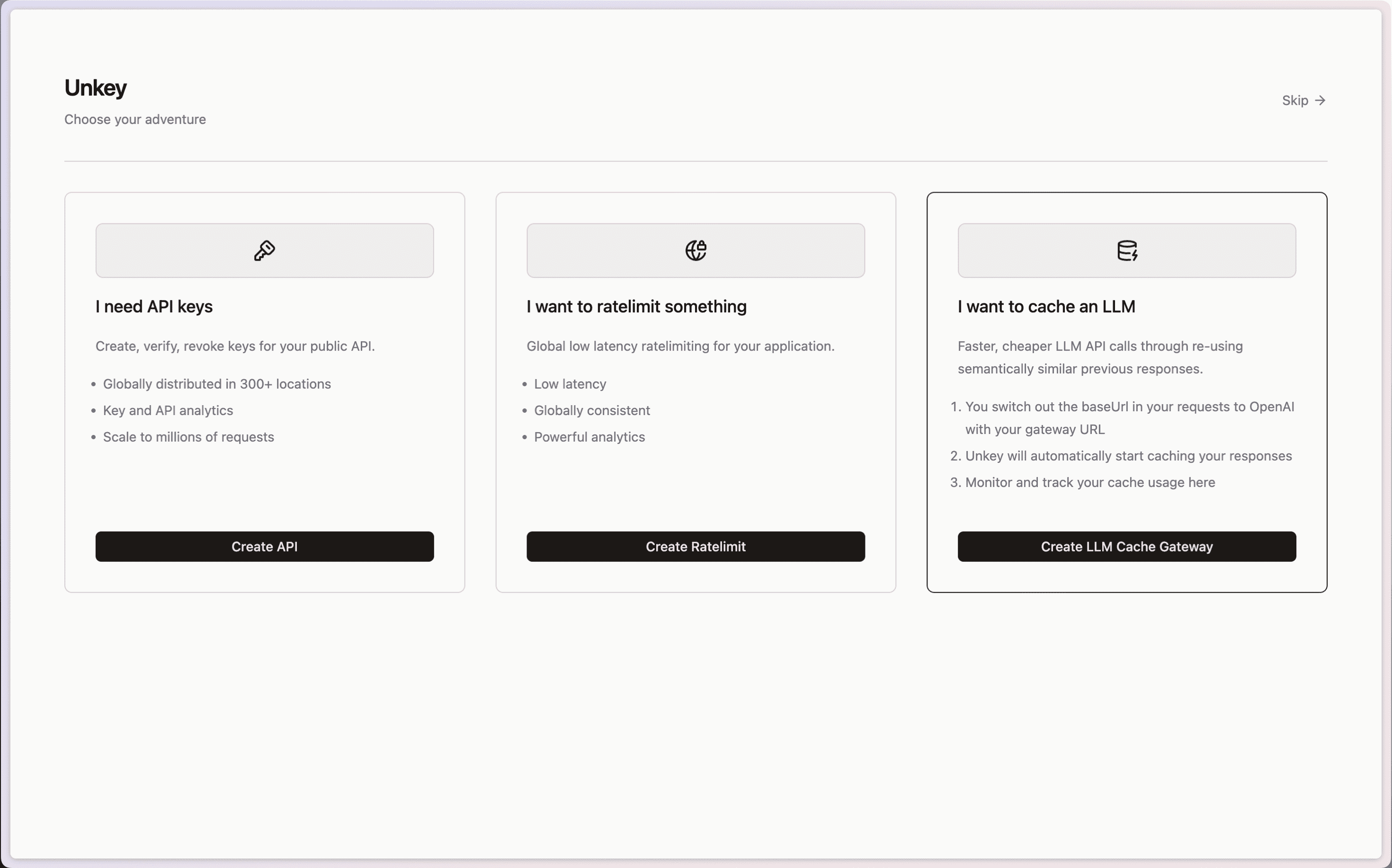
LLM Semantic Cache onboarding
If you are a fan of LLM's and want to use Viraza's Semantic caching when you sign up and create a gateway in a single click. This will allow you to save money and reduce latency for your users.
Bug fixes
-
Fix UI Caching issue when deleting keys Link to PR
-
Add missing permissions to root keys in the dashboard Link to PR
-
Filter out deleted keys from permissionsLink to PR
Docs improvements
-
Improved selfhosting docs for the agent link to docs
-
Reworked the entire layout for easier navigation link to docs
-
Added Hono quickstart guide link to docs
-
Updated Next.js quickstart guide link to docs
-
Updated Bun quickstart guide link to docs
-
Updated Express quickstart guide link to docs