
Viraza is faster, we have improved analytics, and a new billing page
Welcome to the Viraza changelog for Decemeber 15th, 2023. The last two weeks have been busy with some core changes to the Viraza product.
Improved Analytics
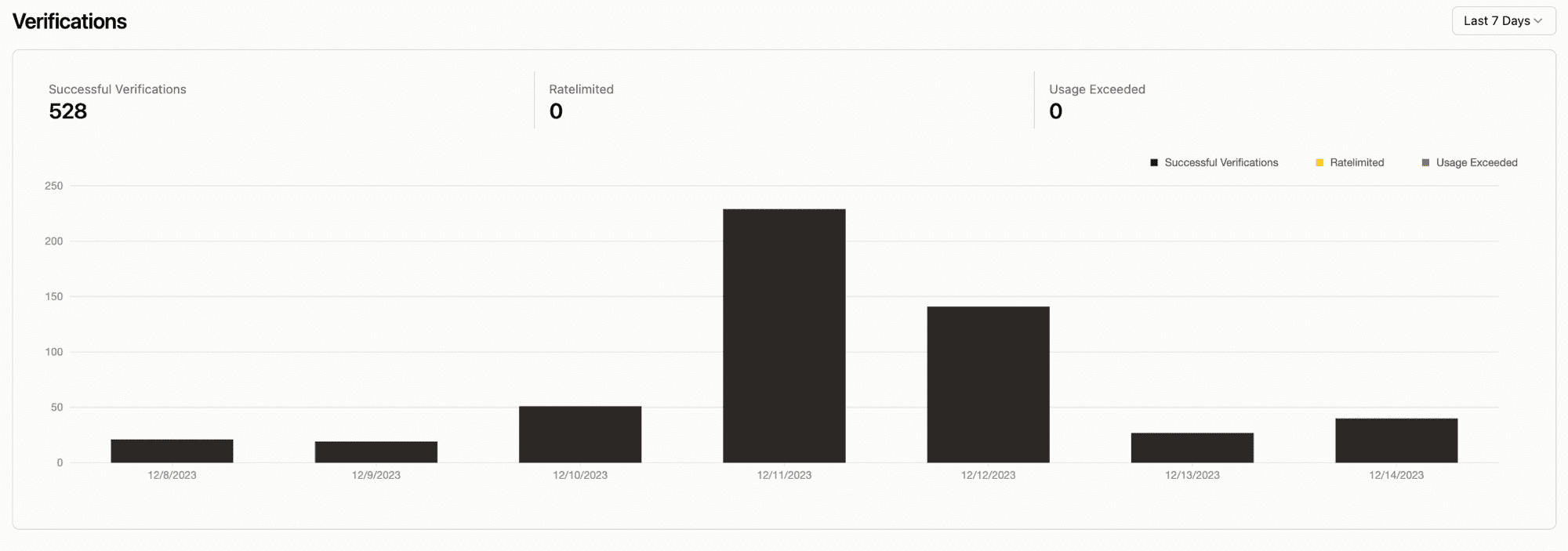
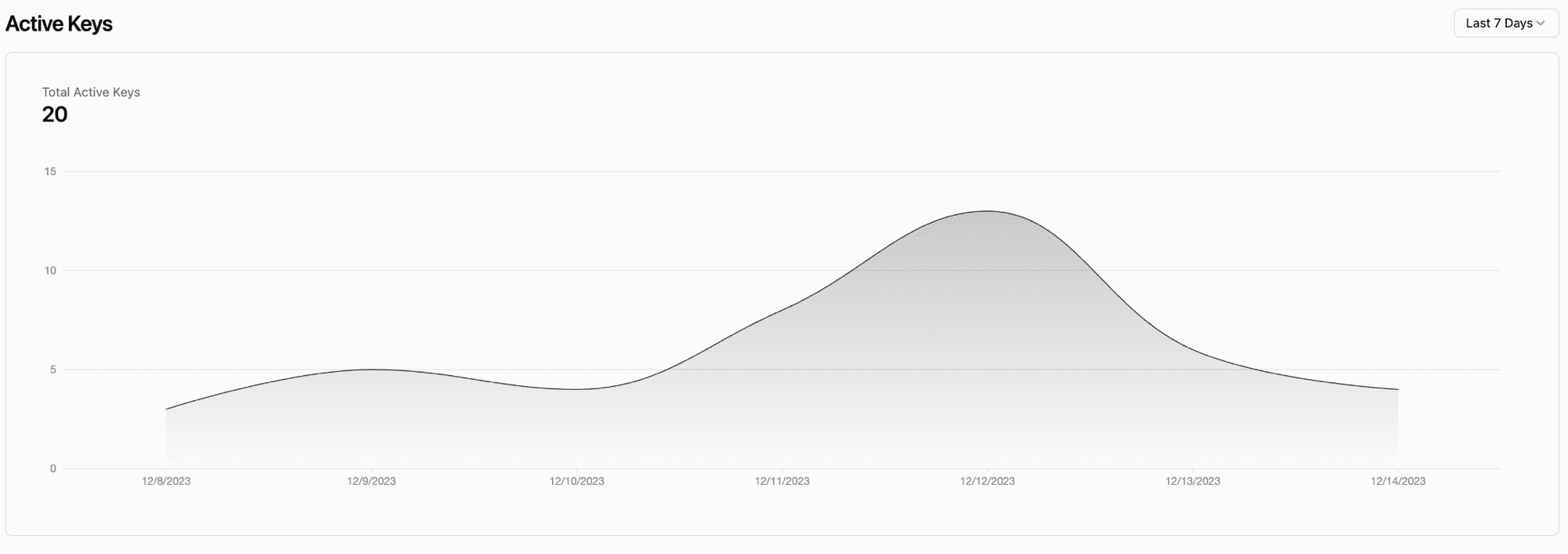
Analytics are now more detailed and easier to understand. We added a new chart that shows the number of active keys for your API and allows you to set a timeframe.
We moved to Cloudflare
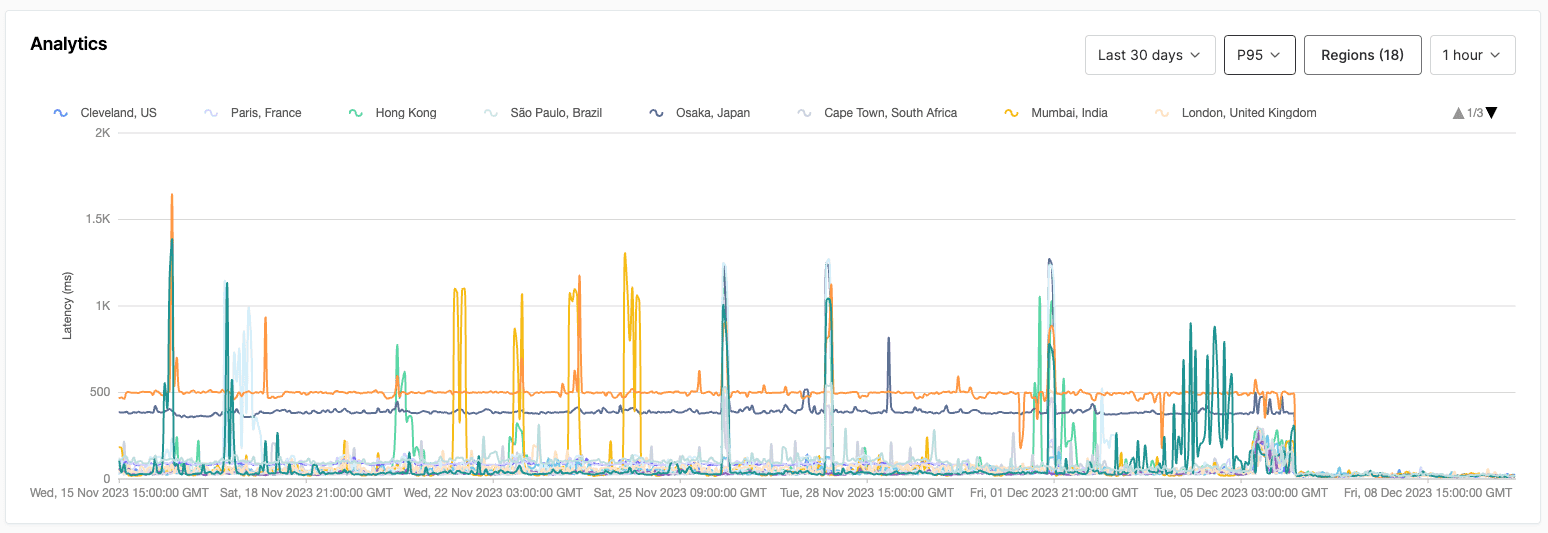
Viraza's API has been on Fly.io since we launched in June. We've been reasonably happy with its performance, but we wanted to move to a more reliable and faster platform. We decided to move to Cloudflare Workers, a serverless platform on Cloudflare's edge network. After this change, Viraza's API runs on 300+ data centers worldwide, making it faster and more reliable. You can check out the new API code in our repository to see how we made the changes from Go to Typescript using Hono
Below is a chart of our latency at P95. Can you tell when we moved to CF?
New billing page
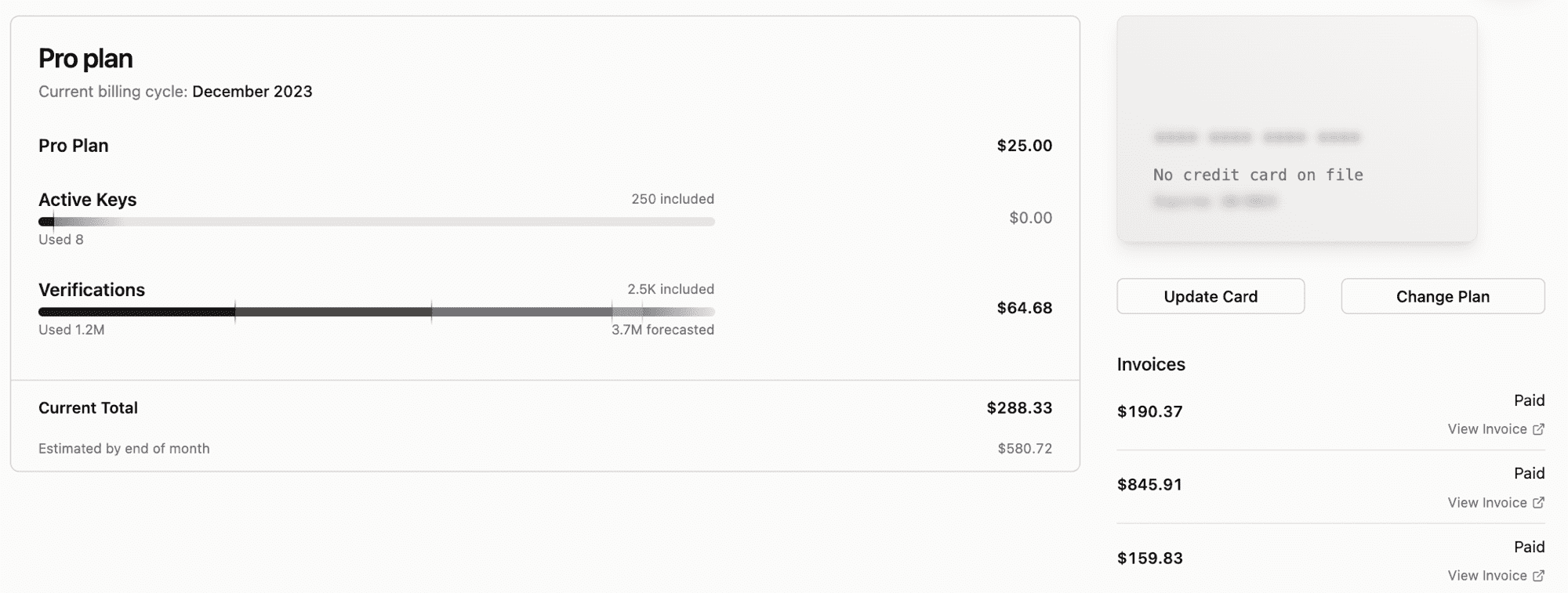
We added a brand new billing page to the dashboard. Previously, you could change your plan and see your current usage. Now, you can see your billing history, change your payment method, and see your current billing cycle. My favorite part is that you can now see a projected forecast of your usage for the month and a projected bill.
RPC methods
With the move to Cloudflare workers, we decided to move to RPC methods. RPC makes it extremely easy to version our API and follow a standard.
Note: We will continue to support the old API for the next few months. We will send out a deprecation notice before we remove the old API.
All our RPC methods are now in the format:
Below are a couple of examples of RPC methods: one is a GET request, and the other is a POST request.
Content you might have missed
UX of UUIDs: Andreas wrote an article on the UX of UUIDs and how some minor tweaks can make a big difference in the user experience.